Choose one visual task
Start with a campaign, character study or product scene. Choose a matching example above, then replace the subject, palette and exact copy with your own requirements.
Turn a creative idea into a campaign, character study or focused image edit. Explore Nano Banana 2.5 workflow guides, adapt a prompt and try it with a currently available image model.
0 / 5000 characters
Each run makes one square (1:1) image.
6 credits / image
Nano Banana 2.5 availability is unconfirmed and it is not connected here. This generator starts with Nano Banana 2; the selected model determines the controls and credits. All example images are authored illustrations.
A useful image starts with a specific job. These Nano Banana 2.5 workflow guides help you turn an idea into a campaign concept, a repeatable character or a focused edit.
Use the guides to define your own creative requirements. The illustrations demonstrate composition and prompt structure; they are not generated results or performance benchmarks.
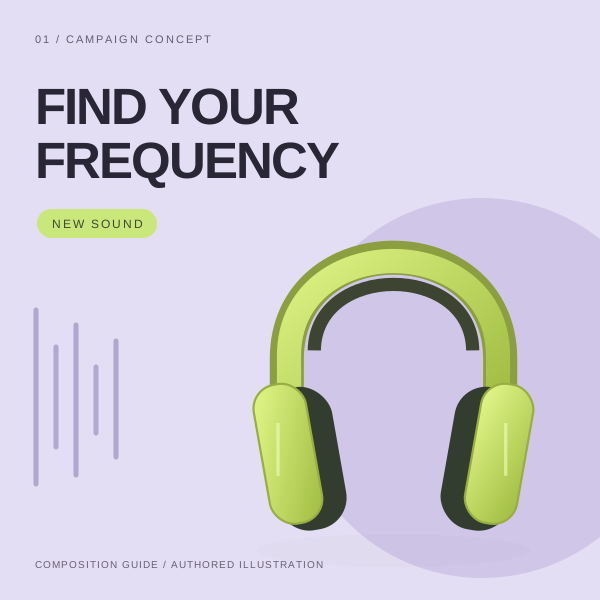
Give the copy a clear hierarchy. A launch visual needs one main message. Put the exact headline in quotation marks, name the supporting line and reserve a specific area for each. Short copy makes spelling and reading order easier to inspect.
Describe the composition before the style. State the canvas shape, product position and empty space before adding mood words. A square social post and a wide website banner need different framing, even when they share the same visual identity.
Suggested prompt
Create a square launch poster for lime-green over-ear headphones. Use a pale lavender background and a bold dark headline reading exactly "FIND YOUR FREQUENCY". Place the headphones in the lower right and keep the upper left clear for the headline. Add only the small text "NEW SOUND". No logos, extra copy or invented product specifications. Keep ear cups symmetrical and the headband continuous.
A suggested brief for your own evaluation. Compare the output with the composition, copy and constraints you requested.
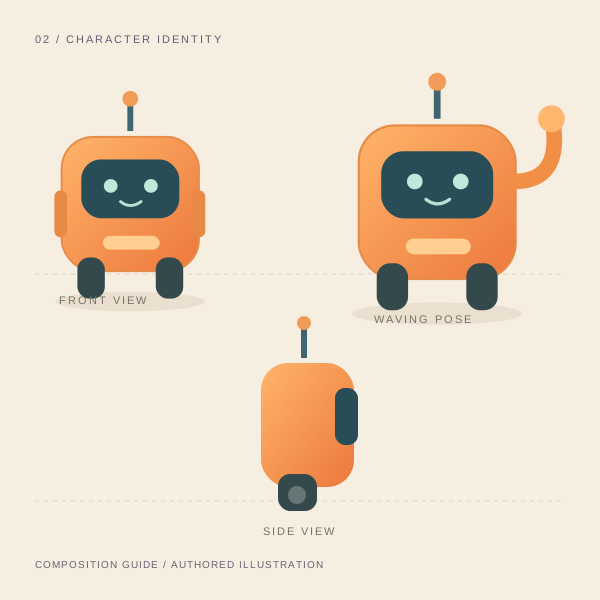
Create a compact character identity. List a few features that define the subject: silhouette, colors, face panel and accessories. Repeat those details when requesting a new pose. Keep a saved reference so you can compare the result directly.
Review a series as a set. Place the images side by side and inspect body proportions, costume details and lighting. A successful individual image can still break a series if the character changes between scenes.
Suggested prompt
Create a square character study of a small orange delivery robot. Show the same robot in front view, side view and a friendly waving pose on a warm cream background. Preserve its rounded rectangular body, two dark wheels, teal face panel and single antenna in every view. Keep the lighting soft and the three silhouettes separate. Do not add text or new accessories.
A suggested brief for your own evaluation. Compare the output with the composition, copy and constraints you requested.
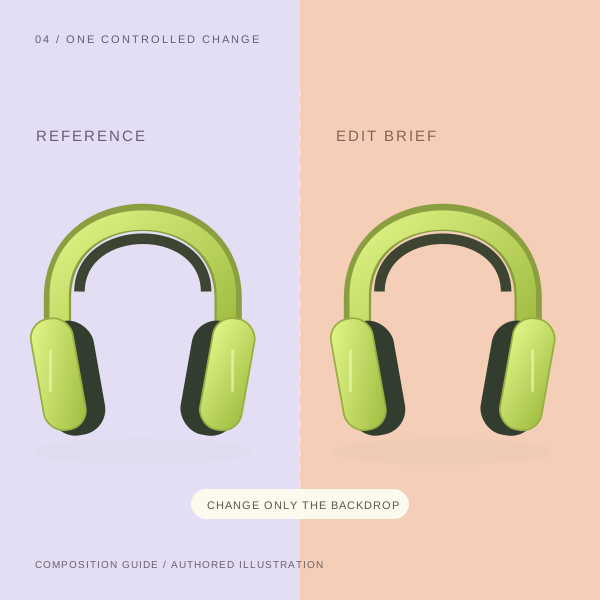
Separate the change from the constraints. For a background edit, describe the new setting in one sentence and list the product details that must remain unchanged in another. In Edit mode, upload one reference image before writing the instruction.
Compare with the original. Inspect the headband, ear-cup edges, color and contact shadow after a revision. If several details drift, return to the original reference and narrow the request to one change rather than stacking more corrections.
Suggested prompt
Using the uploaded product image, change only the lavender backdrop to warm peach. Preserve the lime-green headphones, headband shape, ear-cup proportions and camera angle. Adjust the contact shadow only as needed for the new backdrop. Add no text or props.
A suggested brief for your own evaluation. Compare the output with the composition, copy and constraints you requested.
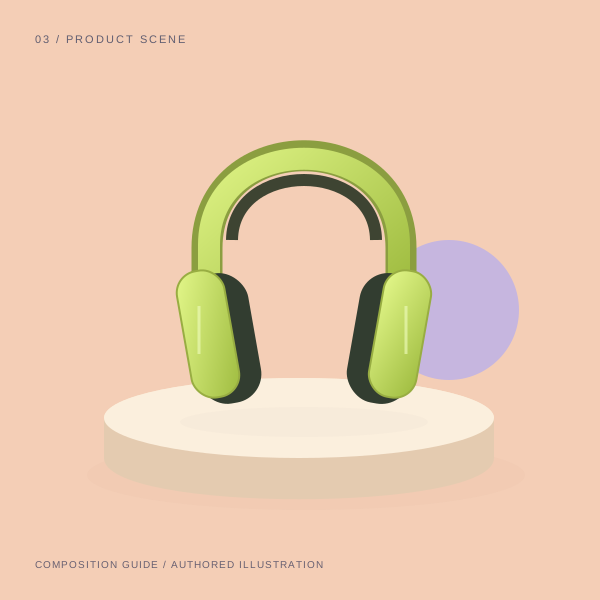
Design for the final placement. Plan the crop for the destination before generating; the connected workspace currently returns a square image. Keep a product away from the crop boundary and leave clear space for navigation, a headline or a call to action that will be added in your editor.
Check the actual deliverable. Open the downloaded file at its delivery size. Inspect small details, pixel dimensions and the crop, then review the version that will be published. A resolution label alone does not establish print readiness.
Suggested prompt
Create a square studio product scene with lime-green over-ear headphones resting on a low cream plinth. Use a warm peach backdrop, a soft shadow to the right and a small lavender sphere behind the plinth. Preserve realistic ear-cup proportions and a continuous headband. Leave generous breathing room around the product. No lettering, logos, cables or people.
A suggested brief for your own evaluation. Compare the output with the composition, copy and constraints you requested.
Start with a campaign, character study or product scene. Choose a matching example above, then replace the subject, palette and exact copy with your own requirements.
Read the model selector, review the output note and credit amount. For an edit, switch to Edit mode and upload one image. The connected workflow returns one square image.
Compare the result against the brief. Check text, identity and unchanged regions, then save a useful version before trying another instruction. Keep final layout adjustments in your design editor.
Follow our image-generation tutorial and review saved outputs in My Creations.
Use the same brief and reference when comparing results for Nano Banana 2.5 research. Judge what you can deliver: readable copy, a recognizable subject and a usable final crop.
| Task | What to include | What to verify |
|---|---|---|
| Campaign poster | Exact headline, palette and placement | Check spelling, margins and whether the product competes with the headline. |
| Character series | Identity details and a saved reference | Compare silhouette, colors and accessories across every pose. |
| Reference edit | One requested change and a preserve list | Inspect the product edges, proportions and details against the original. |
| Product scene | Lighting, framing and output placement | Review shadows, crop boundaries and the downloaded pixel dimensions. |
For a current workflow, use text-to-image generation or reference-based editing. The selected model’s cost appears before you generate; see credit plans for account options.
Nano Banana is Google’s image-generation and editing model family. Nano Banana 2.5 is the search term covered by this independent preview page. As of October 20, 2026, the official Gemini model catalog and release notes we checked did not identify a distinct model with that name. It should not be read as a confirmed Google announcement or release date.
The workspace lets you generate with the current model shown in its selector, initially Nano Banana 2. Nano Banana 2.5 is not a selectable or connected model. You can use these briefs with an available model and keep them for a future comparison if the requested version is formally released.
Google’s model catalog calls gemini-2.5-flash-image Nano Banana. The number in that Gemini endpoint does not establish a separate Nano Banana 2.5 release. Check the displayed model name and official endpoint rather than infer a product version from a shared number.
A usable integration needs a formal model name, a documented endpoint and verified inputs. Our checks have not established those details or a launch date for Nano Banana 2.5. For current availability, consult the official Gemini model catalog and the provider’s model list.
Switch to Edit mode and upload one reference image. With the default selected model, the upload limit is 10 MB for JPEG, PNG and WebP files. Describe the change and list what must stay fixed. Review the result against the original, since a narrow instruction does not guarantee that every other detail stays identical.
Output requirements such as resolution and an alpha channel need a verified model contract. We have not confirmed these specifications for Nano Banana 2.5. This connected workflow uses the provider’s default resolution and a square canvas. Transparent export is not promised by this preview page.
The credit amount beside Generate applies to the model and settings currently selected. Nano Banana 2.5 pricing is unverified. Review that amount before submitting a job; changing models can change the charge. Creating an account does not establish a free quota for an unconnected model.
The campaign poster, robot character sheet and product scene are original SVG illustrations. They show how to structure a brief and are labeled as composition guides. They are not model outputs, official samples or quality benchmarks. Each example includes a suggested prompt that you can adapt.
Availability checked October 20, 2026. Official references: Gemini model catalog and release notes. For another image-workflow perspective, explore the Seedream 5.5 preview.
Keep the subject, exact copy and delivery requirements together. Prepare your next image in the workspace above.
Prepare your image